
MushHub
The all-in-one streaming assistant for Windows
MushHub controls OBS with your voice, brings together the chat from all your platforms, prepares your titles and finds the best clips of your stream with AI that runs on your PC.
⬇ Download for Windows ☕ Support on Ko-fi ✨ See all features64-bit Windows 10/11 · Free essentials · 7-day trial with everything unlocked
What is MushHub for?
MushHub is a free Windows app for streamers on Twitch, Kick, YouTube and TikTok. You download and install it: no account or login is needed to use it, and this page is public. It lets you control OBS with your voice, bring the chat from every platform together, prepare and apply live stream titles, and cut clips of your best moments.
What it does
🎙️ Voice for OBS
Scenes, clips, Replay Buffer, recording and mic by saying "Assistant, …" in English or Spanish.
🤖 MushAI, local AI
Understands free-form phrases, suggests titles and rates your clips. Runs on your PC, free and private.
✂️ AI clips
Listens to your recording, checks chat and suggests the best moments with a title.
💬 Multichat
Twitch, Kick, YouTube and TikTok in one chat, with emotes, read-aloud and an OBS overlay.
📝 Titles and categories
Prepares and applies titles for Twitch, Kick and YouTube, always with a preview and your confirmation.
📱 Vertical clips
Crop gameplay and webcam for TikTok and Shorts, with automatic subtitles.
👑 MushHub Founders
The Founder pass is for people who back MushHub from the start: a single payment on Ko-fi gets you Creator for life, no monthly fees.
- Everything in Creator unlocked forever: unlimited MushAI, AI clips, vertical clips and subtitles.
- Founder badge inside the app.
- It activates automatically with your purchase email: in MushHub go to Settings → Membership.
- You directly help MushHub keep improving.
Thank you to everyone who is already a Founder. Founding investor: Squiper90.
How it looks
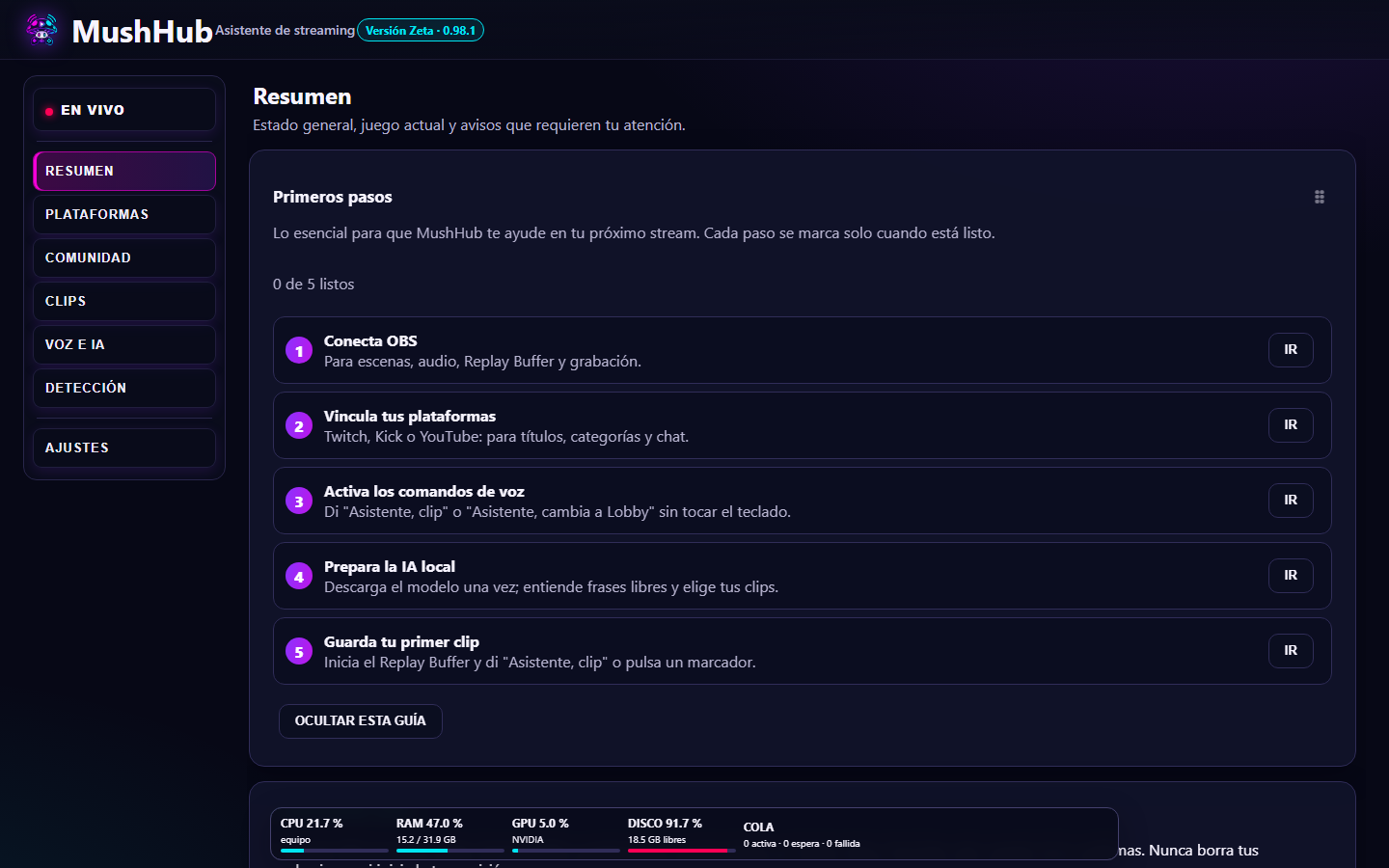
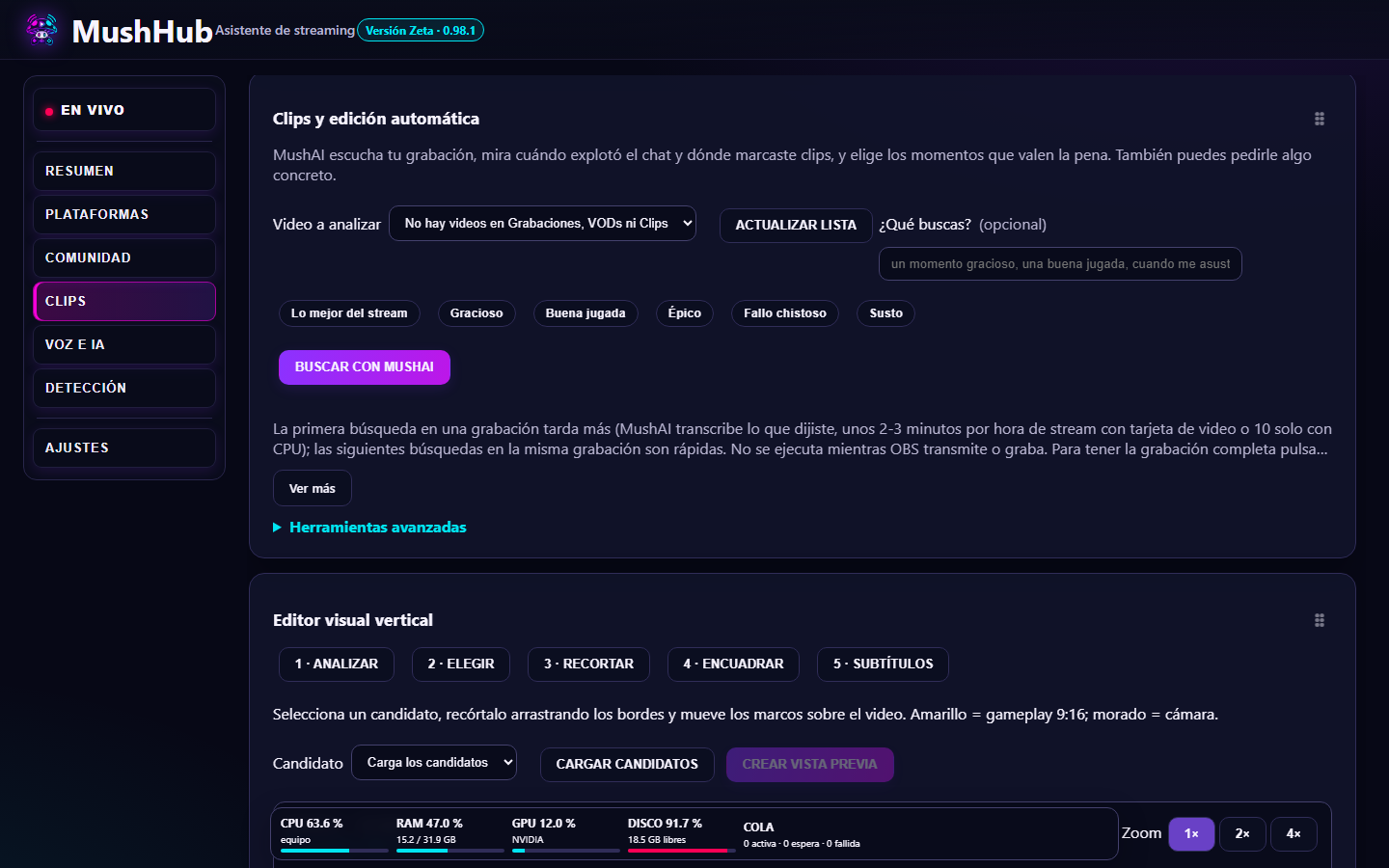
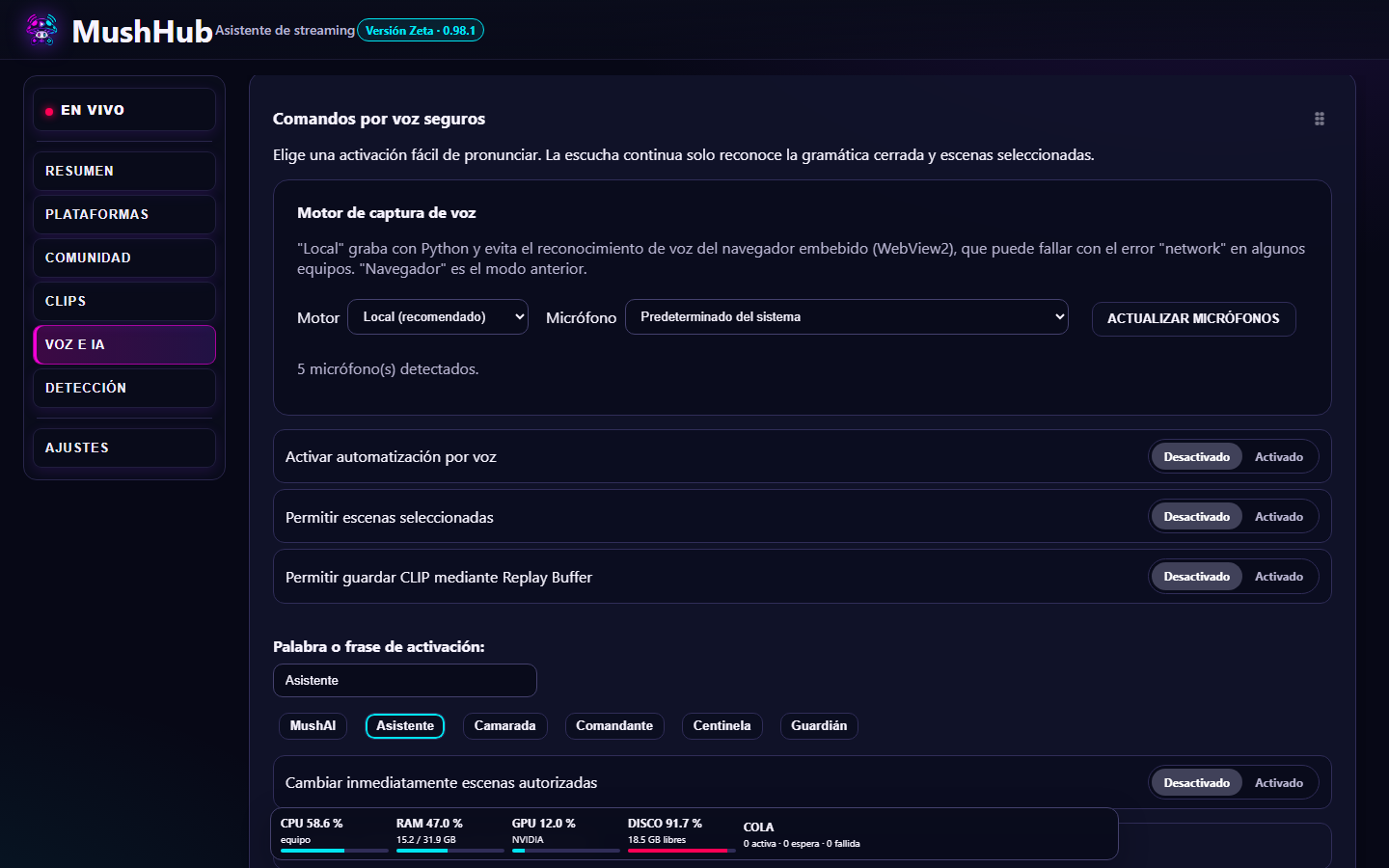
How MushHub uses your Google account (YouTube)
Only if you connect your YouTube channel in MushHub (it's optional), the app uses Google's official authorization to: see whether you are live and how many people are watching, show and read aloud your live chat messages, and change the title of your broadcast only when you confirm it. MushHub does not upload, delete or publish videos, does not read your email, and does not share or sell your data. Data is processed on your PC. MushHub's use of information received from Google APIs adheres to the Google API Services User Data Policy, including the Limited Use requirements. You can remove access at any time at myaccount.google.com/permissions.
Full privacy policy →
Your data stays on your PC
Recordings, clips, chat, settings and account access are stored on your computer (access tokens encrypted by Windows). MushHub does not sell or share your data. Accounts are connected through each platform's official authorization: MushHub never sees your passwords.
Read the full privacy notice →
Requirements
64-bit Windows 10 or 11 · OBS Studio 28 or newer with the WebSocket server turned on · For the local AI, a graphics card with 8 GB or more is recommended.